Why cable handling feels easy for humans, hard for robots
People handle cables by mixing quick perception with constant micro-corrections: you feel tension, notice a snag, and change grip or path without thinking. The cable becomes “obvious” because your eyes and hands close the loop at high bandwidth, and you tolerate small slips while still making progress.
Robots face a different problem. A cable has near-infinite shapes, changes shape when touched, and hides important state (twists, internal stress) that vision alone often can’t infer. Small errors compound: a few millimeters of slip can turn into a loop, a knot, or a missed insertion.
Reliable performance usually requires extra sensing, compliant tooling, and conservative motions, which adds integration time, cycle time, and cost compared with rigid-part automation.
Define the task: routing, untangling, insertion, or neat laying
On a line, “cable handling” often hides four different jobs that fail in different ways: routing a free end through a path, untangling from a pile, inserting into a connector, or laying neatly into clips or channels. Treating them as one problem leads to mismatched tooling and unrealistic acceptance tests. Routing is mostly about managing slack and preventing the cable from catching on edges, so speed matters less than consistent tension control. Untangling is a search problem with destructive mistakes: pulling the wrong segment tight can cinch a knot and force a reset. Insertion is closer to classic assembly, but the cable amplifies misalignment because the distal end moves when the robot regrips. Neat laying looks simple until you price fixtures, clamps, and extra dwell time to keep the run from springing out.
How you represent a cable changes everything downstream
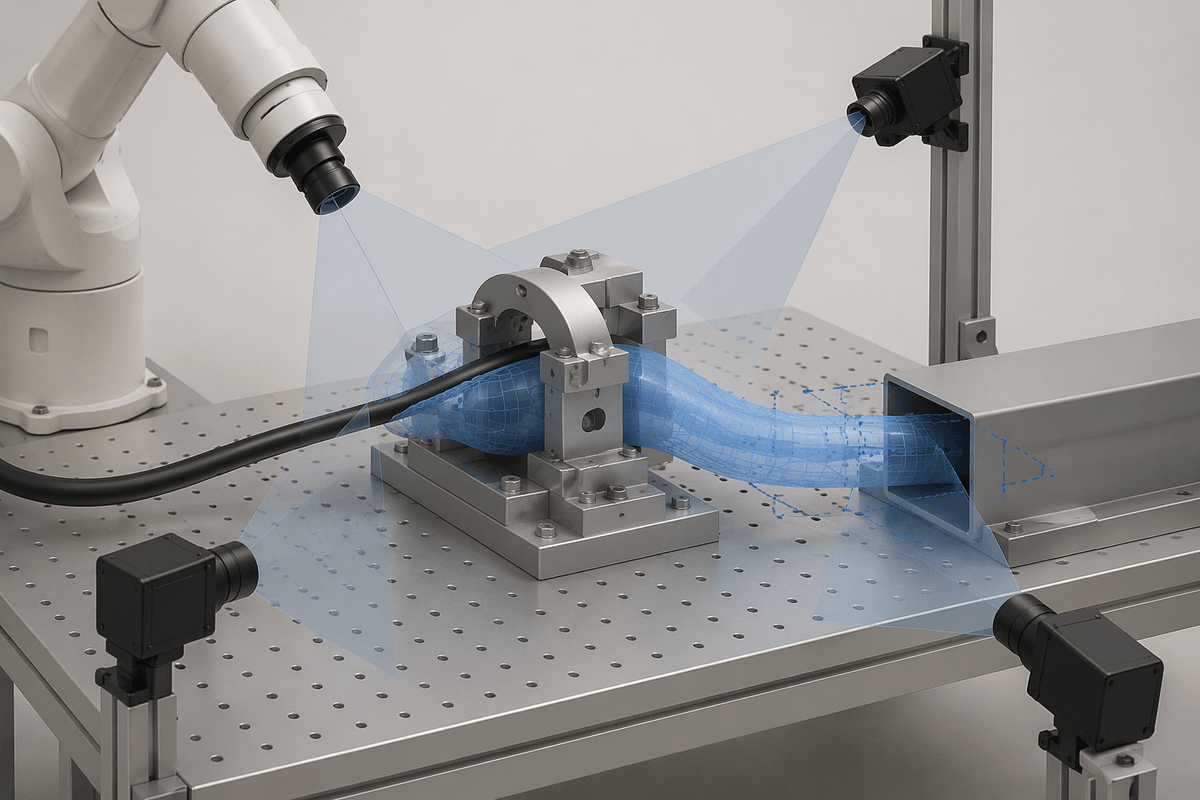
A common failure pattern is treating the cable as “just a line” in the planner while it behaves like a soft, twisting object in the cell. If you represent it as a single curve with one grasp point, you can plan routes and avoid obstacles, but you will miss what causes most real faults: where friction will pin it, where slack will pool into a loop, and whether the free end’s orientation is preserved for insertion. Represent it as a chain of short segments (or a centerline plus a few “keypoints” like end, midpoint, and last known clip), and you can reason about slack and regrasping, but the state estimate becomes harder to keep stable under occlusion.
The right representation is the one that matches your acceptance test. For routing into a channel, you often only need the end pose and a conservative bound on where the rest of the cable could be. For plugging, you typically need end pose plus twist/clocking consistency, or you will chase alignment errors that are actually coming from torsion. Finer representations also raise costs: more sensing views, more computation, and more time spent tuning thresholds for when to “trust” the model versus re-detecting on the fly.
Sensing the cable: vision-only, tactile-first, or hybrid setups
In a typical cell, the first temptation is to “just use cameras,” but cables are thin, reflective, and frequently self-occluding. Vision-only works best when you can constrain the problem: high-contrast jackets, known backgrounds, controlled lighting, and a fixture that keeps most of the run in a predictable plane. Even then, the failure mode is rarely total loss of detection—it’s small end-pose errors that look acceptable in pixels but produce missed clips or connector hits.
Tactile-first setups flip the logic: assume the camera estimate is coarse, then use contact to localize and manage uncertainty. Simple signals like gripper force, finger travel, or a wrist F/T sensor can tell you if you actually captured one strand, if the cable is slipping, or if you’re dragging a loop. You often add probing moves, compliance, and calibration work.
Hybrid systems are common in practice: vision finds candidate endpoints and routing corridors, while touch closes the loop at the last 10–20 mm for placement and insertion. The practical question is where you can afford to be blind—during gross routing, or during the final alignment where resets are most expensive.
Grippers and contact strategies that prevent slip and snarls
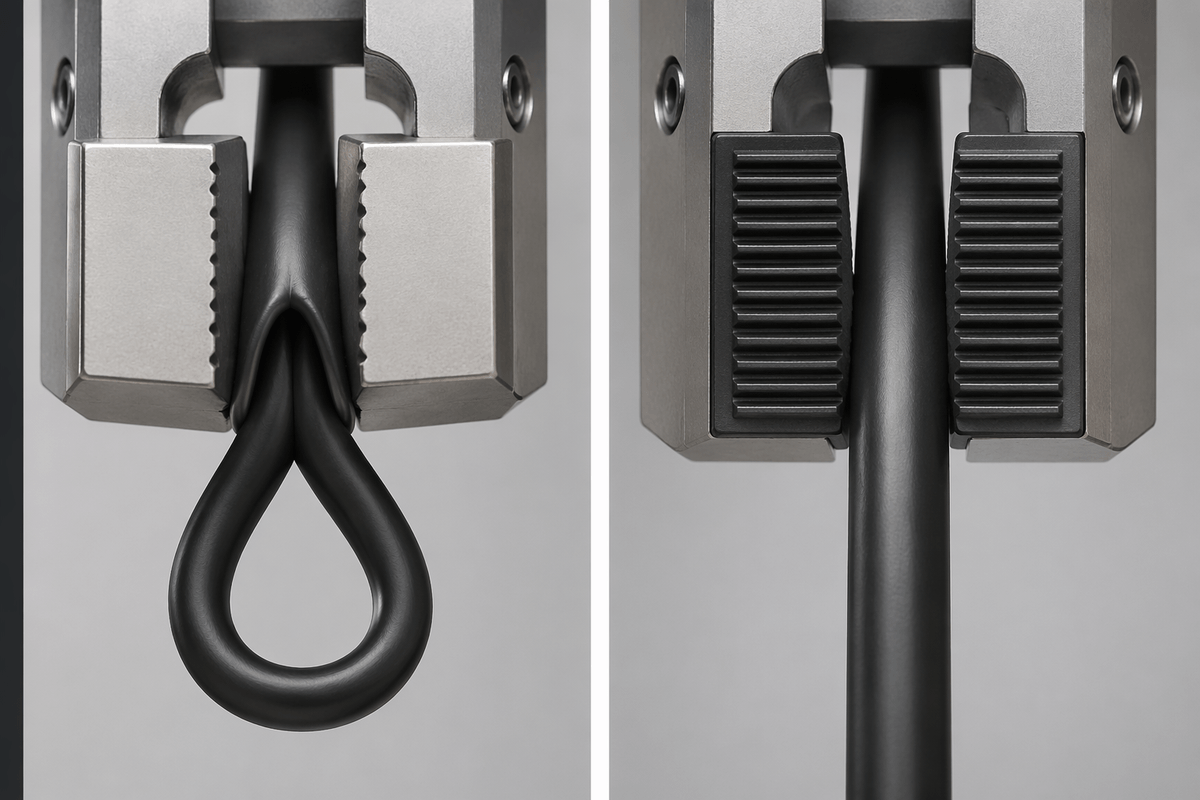
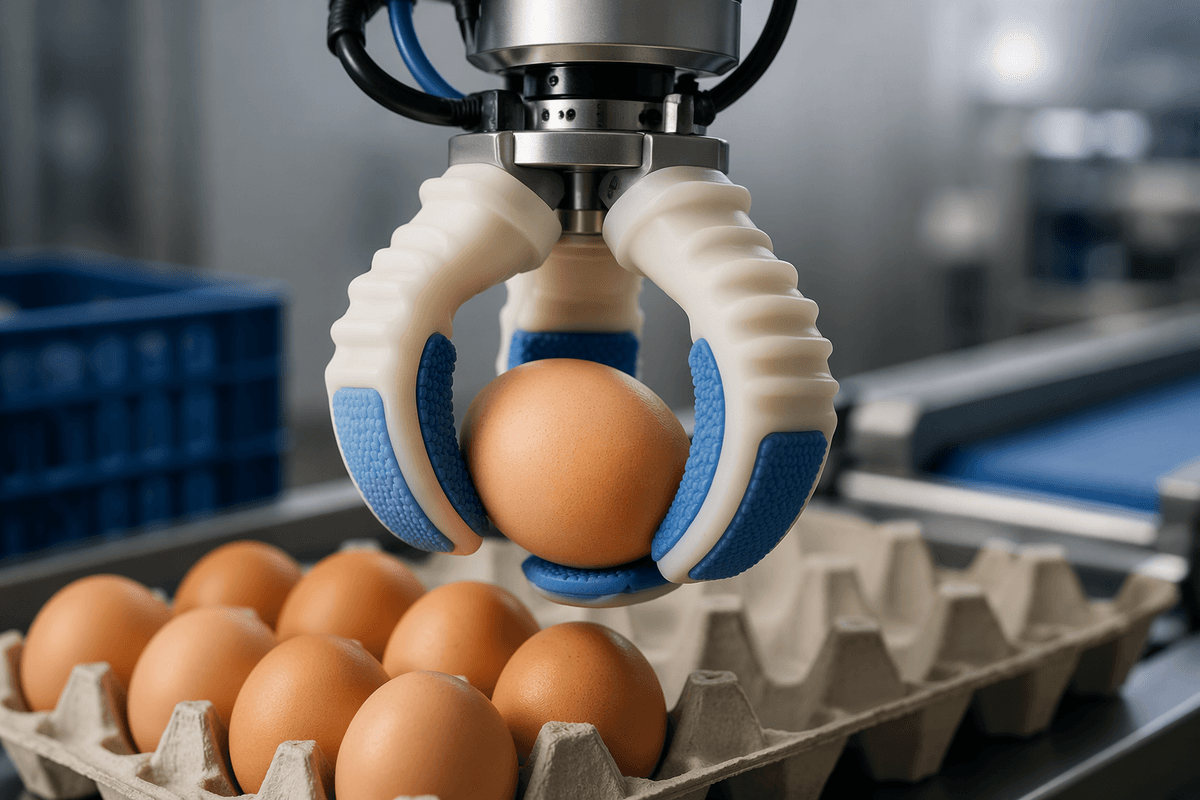
The moment you touch a cable, the gripper becomes part of the “model.” Hard parallel jaws that work for rigid parts often create two cable-specific faults: they squeeze enough to ovalize the jacket (raising drag in clips), yet still allow slow slip that silently grows a loop. Soft overmolded fingers, V-grooves, or split bushings increase contact area so you can hold with lower normal force, which reduces jacket damage and makes slip easier to detect as a change in finger travel.
Two-grasp strategies matter as much as finger material. Holding the cable at two points—one “anchor” to manage slack, one “working” grasp near the end—prevents the free span from whipping into hooks around nearby features. When you can’t afford a second arm, a passive fixture or compliant clamp can act as the anchor, but it costs space, adds changeover work, and can become the snag point you were trying to avoid.
Contact should be deliberate: approach along the cable axis, close while moving slightly to seat into a groove, then pull with a controlled tension limit rather than a fixed speed. If tension rises early, back off and regrip instead of powering through; most snarls start as a “small” hang-up that was treated like friction.
Control approaches: scripted primitives, model-based planning, or learning
A lot of cable projects start with scripted primitives because they’re debuggable: “pick end,” “tension to X,” “route through waypoints,” “seat into clip,” “regrip,” “insert.” If the cell is well fixtured and the cable is consistent, this can ship. The catch is brittleness: the same waypoint plan fails when friction changes, when the cable length varies a few millimeters, or when an earlier micro-slip shifts where slack accumulates.
Model-based planning tries to make those scripts less fragile by adding a state estimate (even a coarse one) and rules about what contact should feel like. In practice, you often don’t need full deformable simulation; you need bounded predictions like “the free span must stay inside this corridor” and “tension must not exceed this limit.” The integration cost is real: calibration between camera, robot, and any force sensing, plus careful tuning so the controller doesn’t oscillate between “trust the model” and “re-detect everything.”
Learning-based control can help when perception is messy or when you can’t hand-design every edge case, especially for final approach and insertion. It also introduces a different cost: collecting representative failure data, preventing overfitting to one cable SKU, and building safe fallbacks when the policy drifts outside its training envelope.
Training and evaluation: what to measure beyond success rate
On the factory floor, “it worked 95% of the time” isn’t very informative unless you know what the other 5% looked like. Track resets per cycle, time-to-recovery, and whether failures are benign (slip detected early, regrip succeeds) or destructive (knot cinched, connector pins bent, jacket nicked). Add tension and slip metrics: peak tension, time spent above a safe tension band, and measured end-effector-to-cable slip during pulls and regrips. These correlate strongly with downstream snarls and intermittent insert misses.
Evaluate across controlled variation, not just repetitions: cable length tolerance, jacket material, temperature, and routing geometry changes that shift friction. Report “first-pass success” separately from “eventual success after retries,” because retries hit cycle time and wear. Finally, measure observability: how often the system loses the endpoint or twist estimate under occlusion, and how quickly it can re-acquire without human help.
A practical roadmap for building your first cable-capable system
A useful starting point is a tightly scoped “boring win”: pick a single cable SKU, constrain the workspace with simple guides, and prove you can pick the end, establish a safe tension band, and place into one clip or channel segment with a retry strategy. Build around observability early—add at least one view that can re-find the end after occlusion, and log tension, gripper opening, and any slip estimate so failures are diagnosable rather than mysterious.
Only then expand the envelope: add a second anchor point (fixture or second gripper), introduce regrasping, and extend routing length while keeping acceptance criteria tied to measurable limits (peak tension, number of retries, and time-to-recovery). Plan for the practical costs: cable variation across lots, lighting maintenance, and wear on soft fingers or clamps. If insertion is required, isolate it into a final “contact-guided” subroutine with conservative approach speeds and cheap sacrificial test connectors during tuning.