Robotic automation is accelerating—why this moment feels different
Walk through a modern warehouse, hospital supply room, or factory, and the change is less about “humanoid robots” and more about how many small tasks are quietly being automated. Carts move goods, cameras check parts, and cobots assist with repetitive handling. What feels different now is the combination of pressures arriving at once: tighter labor markets, higher service expectations, and technology that works reliably outside of perfectly controlled environments.
Automation used to be a long, custom engineering project justified only at very high volumes. Today, more off-the-shelf hardware, better sensors, and easier integration make smaller, targeted deployments practical. Even so, the hard part is often operational: redesigning workflows, training staff, maintaining uptime, and managing change without disrupting day-to-day performance.
Labor shortages and wage pressure are changing the math
When a shift can’t be fully staffed, the problem isn’t abstract—it shows up as missed pickups, late orders, idle machines waiting on materials, and supervisors spending hours reshuffling people. Many teams have learned that the hardest roles to keep filled are the most repetitive, physically demanding, or schedule-unfriendly ones. Even when hiring is possible, churn creates a steady tax: recruiting fees, onboarding time, training errors, and productivity lost while new hires ramp up.
Wage pressure changes the break-even point for automation because it’s not just the hourly rate. Overtime, shift differentials, benefits, and the hidden cost of inconsistency all add up. That’s why robots often enter first as “capacity insurance”—covering nights, weekends, or peak periods—rather than a full redesign. The catch is that labor savings only materialize if the operation can actually redeploy people, and that takes planning, not wishful thinking.
Falling robot costs and clearer ROI lower the barrier
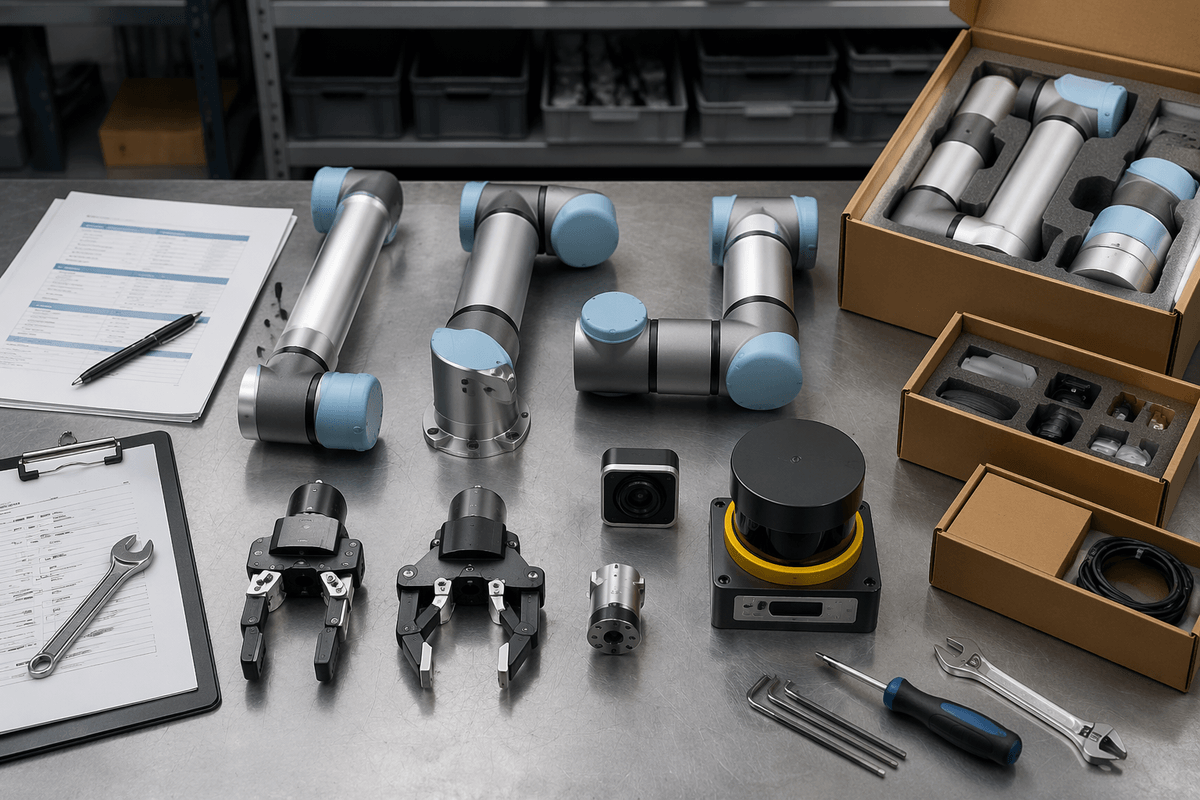
A common surprise for first-time buyers is that the headline robot price is no longer the main barrier. More vendors sell standardized arms, mobile bases, and grippers that can be configured rather than custom-built. Camera systems and safety hardware have also become more packaged, which shrinks the engineering effort that used to dominate early budgets. When the deployment looks more like an installation than a science project, the payback window gets easier to defend.
ROI conversations have also matured. Teams model labor hours avoided, but they also price in less obvious gains: fewer damaged goods, less rework, more consistent cycle times, and fewer last-minute staffing fixes. Still, “cheaper robots” doesn’t mean cheap outcomes. Integration, guarding, software licenses, spare parts, and ongoing support can rival the hardware cost, and a small reliability problem can erase the savings if uptime is not managed like any other critical asset.
Smarter robots: sensors, AI vision, and easier programming
A frequent frustration with older automation was how brittle it could be: a part slightly out of position, a label with glare, a tote with mixed items, and the whole line stopped. Better sensors and vision systems reduce that fragility. Depth cameras can estimate where objects are in 3D, force sensors can detect a mis-grasp, and modern inspection setups can spot surface defects or missing components without perfectly consistent lighting. The robots can handle more variation, which is what real operations are full of.
Programming has also moved closer to the work itself. Instead of weeks of custom code, many tasks can be set up with guided “teach” modes, drag-and-drop workflows, and prebuilt skill libraries for picking, palletizing, or scanning. That doesn’t eliminate expertise—it changes where you need it. Vision models still require good training data, and edge cases show up at 2 a.m., not in a demo. Keeping performance stable means ongoing tuning, good fixtures, and a clear plan for exceptions.
Customer expectations demand faster, more flexible operations

Customers have been trained to expect speed and visibility: tighter delivery windows, real-time tracking, and quick responses when something changes. That pressure hits operations as more frequent, smaller orders, shorter cutoffs, and higher penalties for misses. In that environment, the value of automation isn’t only lower unit cost—it’s predictability. A robot that can run the same cycle at 10 a.m. and 2 a.m. helps protect service levels when demand spikes or staffing wobbles.
Flexibility matters as much as throughput. Product mix changes, packaging refreshes, and promotional surges punish systems that take weeks to retool. That’s why many teams start with automation that can be reassigned: mobile robots that reroute, cobots that can be moved between workcells, and vision-guided picking that tolerates SKU churn. The practical constraint is change control—each “quick” reconfiguration still needs testing, safety checks, and training so a faster operation doesn’t become a fragile one.
Quality, safety, and compliance push automation into new areas
The quality problem is often what finally justifies automation. A missed scan, a mislabeled pallet, a slightly underfilled package, or a contaminated tool can turn into scrap, returns, chargebacks, or a stalled shipment. Robots help by doing the same motion the same way, while sensors log measurements and inspections that humans struggle to perform consistently all day. In regulated work—food, pharma, medical devices—that audit trail can matter as much as the labor math.
Heavy lifting, repetitive strain, sharp-edge handling, and hazardous environments are hard to “train away,” and incident rates are increasingly visible to insurers and customers. Still, compliance isn’t free: risk assessments, guarding, validation, and documentation add time and cost, and a deployment that can’t prove it’s safe and traceable won’t scale beyond a pilot.
What to watch next—and how to judge your use case
A familiar pattern is a pilot that works in the corner, then stalls when the real operation hits it: rush orders, mixed SKUs, messy inputs, or unclear ownership. The most telling signal to watch is whether vendors can name concrete limits—cycle time ranges, pick success rates, downtime assumptions—and how they handle exceptions without stopping the line.
To judge your use case, start with three numbers: hours of repetitive work per week, cost of errors or delays, and how variable the inputs are. Favor tasks with stable steps, measurable quality, and a clear “handoff” point. Budget for integration, safety validation, spares, and an internal champion, or the ROI model won’t survive contact with reality.